Calculations
If you have a registered account a list of all your calculations is available from the Calculations item on the top menu. The calculation list page is a simple table from where you can load a previous calculation.
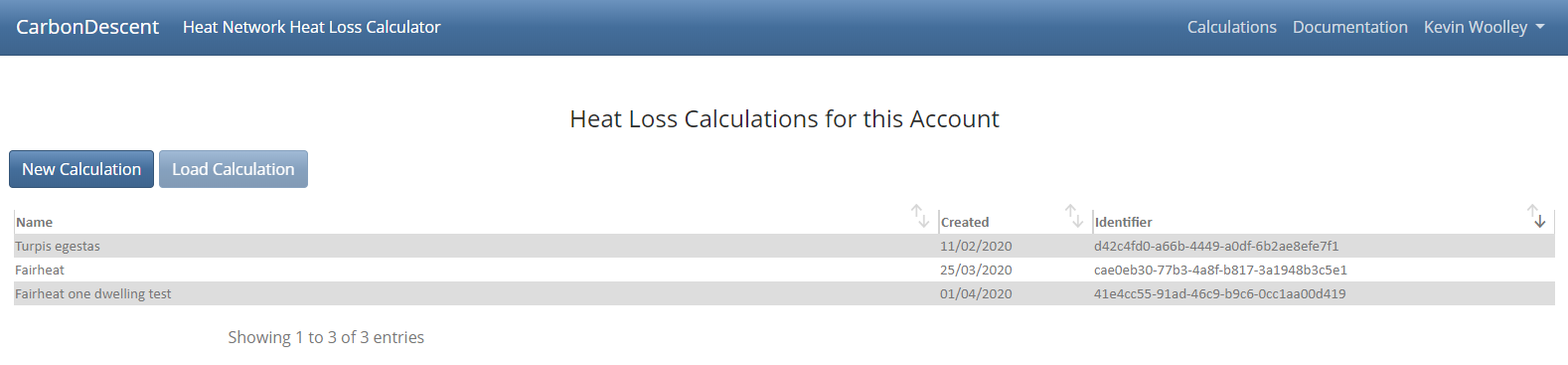
Fig. 1 Calculations
On the Calculation page the Calculation Results section displays results and some default settings
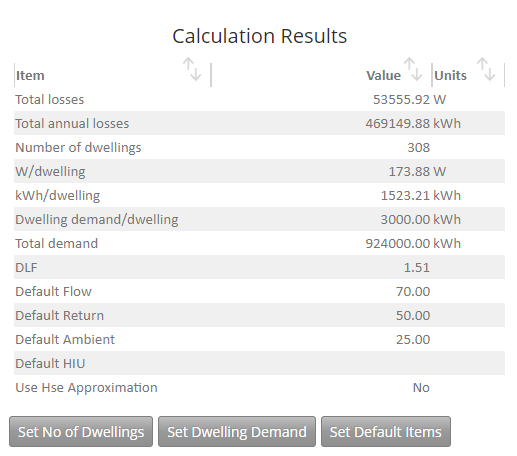
Fig. 2 Calculation Results Section
Items that can be changed here using the buttons are
- Number of Dwellings
- Dwelling Demand, in kWh/yr
- Pipe Defaults, these facilitate ease of data entry for pipes. Items that can be set are
- Default Flow Temperature - the default temperature of the pipe
- Default Return Temperature - the temperature used for the pipe when copying a Flow to Return pipe
- Default Ambient Temperature - the default ambient temperature
- Default HIU - the default Heat Exchange Unit
In addition the defaults dialog includes a setting to force override the approximation calculation for Outer Surface Coefficient. By default we use this where applicable, but the full calculation can always be performed if required (at the expense of a marginally longer calculation time)

Fig. 3 Calculation Details Section
This section of the page shows the URL link for the calculation, the ID number, and the name of the calculation which can be set by the Set Name button.